Getting started and controls
What this is, and what you need
Sherwood Den is a browser game. You open a web address and you are in it. There is nothing to download, install, or sign up for. It runs on a desktop browser and on a phone browser, and it draws a 3D town, so a machine from the last few years and a current browser is the honest requirement.
You need a crypto wallet to play rather than watch. On a desktop that is usually a browser extension; on a phone it is usually the wallet app's own built-in browser. If you have never had one, that is the one piece of homework this game asks for, and it is worth knowing before you start that connecting a wallet costs nothing: it is not a payment and not a transaction.
You do not need to buy anything to start. The house gives you a purse of
$GOLD for free, and every prediction booth in every hall is played with it.
The only door that asks for money is the tavern.
Your first ten minutes
The game walks you through this itself. The orientation is a list of steps in the corner, and pressing a step walks your character to where it happens and lights up the control it is about. This is the same run, so you know what is coming.
Getting in
- Open the game. The first screen offers Connect a wallet to enter and Watch the den. Watching needs no wallet and lets you look around, but nothing can be pressed.
- Press connect and pick your wallet from the Choose a wallet list. Approve the connection. Nothing is spent.
- Press Enter the den and pick a hearth from Choose a hearth: the rooms other players are in, with how many are inside each. Any of them is fine; you can talk to the whole den from any of them.
- Watch the short arrival, then take or skip the two welcome cards.
The orientation, act by act
| Act | What you do |
|---|---|
| On your feet | Look around first: drag to turn, scroll or pinch to lean in, then walk with WASD, the stick, or a click on the cobbles. Meet Coinbroker Nori. Claim your opening purse from the top bar, which is a signature rather than a payment |
| A bet | Walk into a hall, pick one of its twenty questions, and back YES or NO. Even 5 $GOLD is a real bet. Come back out, open your book, and hear how settlement pays |
| Five minutes | The Crypto Vault: up or down in five minutes, then back to the square. This one is still being built, so check the availability table before you lean on it |
| Spend it | Change your look, and see the exchange where $DEN buys more $GOLD |
| What it is for | The bounty board on the stage in the middle of the square, where the season's top three split a real $DEN purse, and the Master's bench for the dev log and bug reports |
| The bones | The dicer by the tavern plays a free round with nothing at stake, so you learn dice before the tavern charges you for them |
That is the whole loop: claim, back a side, get paid, climb the board. Nothing
in it needs $DEN, and nothing in it costs you anything.
If you close the orientation or finish it, you can restart it from the top bar, and each step keeps a Go control that walks you there. Hide collapses the tracker if it is in your way.
The top bar
The top bar carries your $GOLD purse and the button that claims
it the first time, your worth in $DEN, your wallet, and the way back into the
orientation. On a narrow screen the labels shorten but the order is the same.
Entering
Across the top of the first screen sits How to play, and beside it, where the operator has configured them, Docs and links to the den's community. Where a link has not been set it simply does not appear. On a phone the text links move down to the footer and the icons stay. Once a wallet is attached, Disconnect appears in the top-right corner beside Enter. That is the one to reach for if you connected the wrong wallet, and the screen says so itself.
Lower down there is a CA chip. Press it and the token's launchpad page opens in a new tab: the contract address, the price chart, the curve it trades on, and a buy button, all in one place. Check the address on that page against what the operator published before you buy anything. CA soon means this build has no token yet.
The first screen offers two ways in:
- Connect a wallet to enter: the primary button until a wallet is
attached. Every booth is played in
$GOLDheld against your wallet, so there is nothing to press without one. After connecting, the button becomes Enter the den and asks which hearth to sit at (see multiplayer). - Watch the den: a view of the map with no character in it at all, and the way in without a wallet. Drag to look, WASD to pan, scroll to zoom. You are not in the room, nobody can see you, and there is nothing to press.
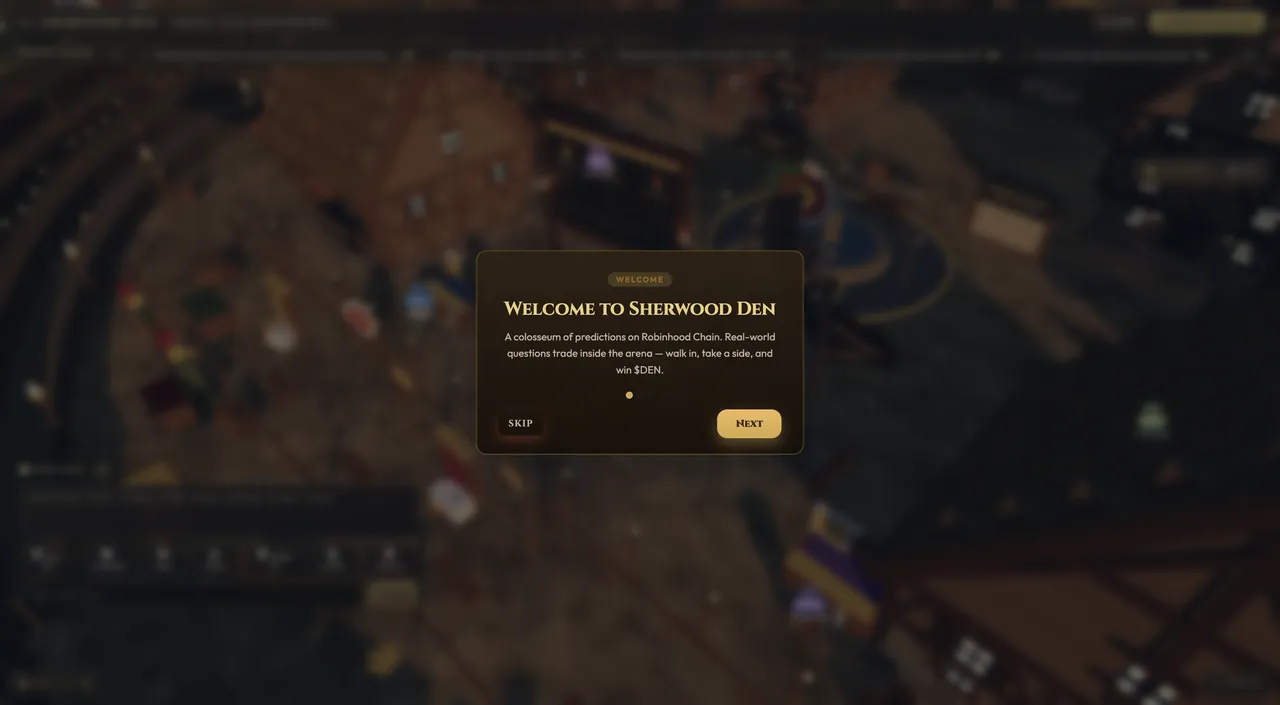
On your first visit the orientation runs itself, and Your first ten minutes above is the same walk in writing. Pressing a step walks your character to where it happens, and the control that step is about glows until it is done.
The run stops at the tavern door rather than going in, because the pass costs
2,000 $GOLD and the opening purse is a taste of the booths, not a night at the
tavern. Inside has its own short walk-through that starts the first time you
are actually in there (see duels), and the season
rules it explains at the bounty board are set out in
the portfolio.
Which on-chain features you can actually use depends on the environment; see what the status labels mean.
The plaza
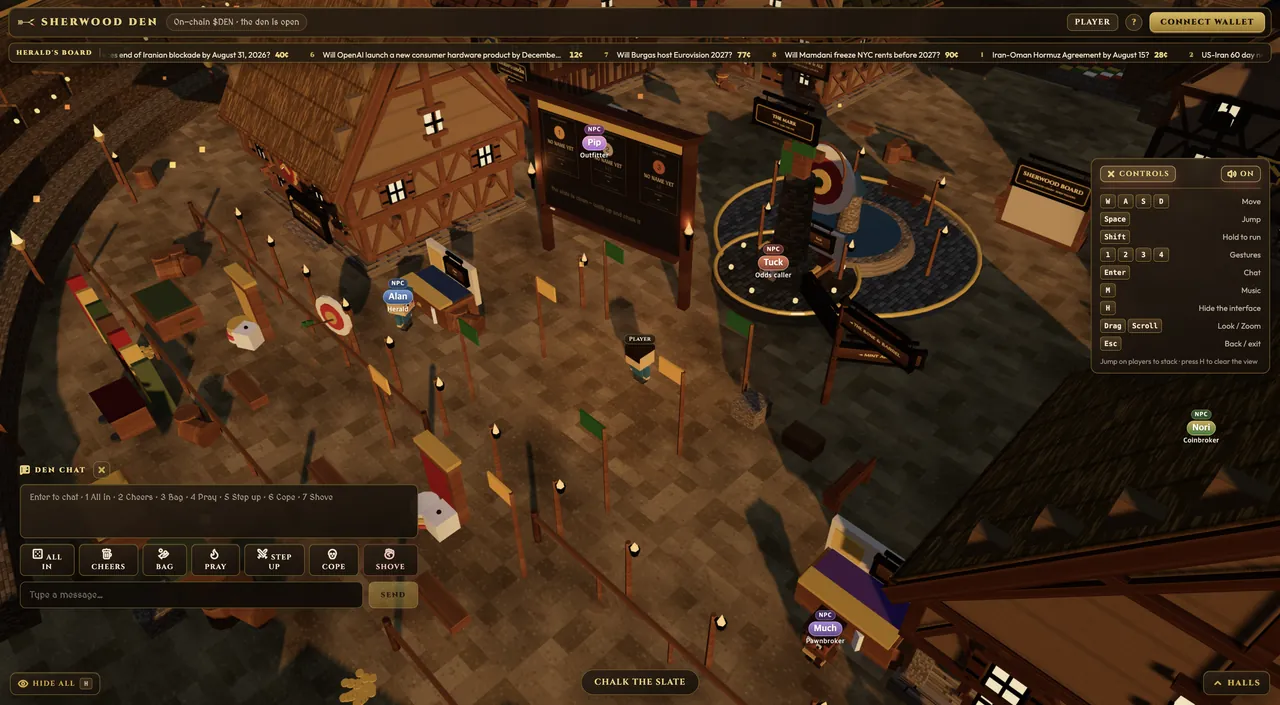
You arrive in the plaza. The Herald's Board across the top turns
continuously with the standings: the den's top ten by return, in order. Each
place reads as movement, rank, name, return, and when a settlement reorders
the ranking while you are standing there, the names that moved carry a ▲ or ▼
for a minute or so. Press the strip for the full board behind it, where the
settled duels are kept. The slate on the square is where anyone can chalk
a short line (32 characters); the panel repeats the last four so you do not
have to find the board to know they landed. Chalk is sold at the till above
the slate, five sticks to a pack for $GOLD, and each line spends one, so
the wall is written by people who paid to be on it.
Press the standings board in the plaza to open the leaderboard. It shows the top ten, their return and profit or loss, and your own row even when you fall outside that page.
Finding your way
The square is the whole map. The six halls stand around it in a regular grid, and every door faces inward, so you can see all of them from the middle and walk to any one in a few seconds. Dead centre is the stage, carrying the bounty board and the standings. The square itself is deliberately bare (no fountain, no stalls, no clutter) so if you are looking for something and the middle of the square seems empty, you have not missed it.
Townsfolk each do one job and stand in one place. Walk up and press the interact key, or just click them:
| Who | Where | What they do |
|---|---|---|
| Old Hesta | Outside the tavern door | A free round of dice, nothing at stake. The only game on the square that costs nothing. Learn the bones here before the tavern charges you for them |
| Coinbroker Nori | The square | $DEN for $GOLD at the changing table, and your book |
| Herald Alan | The square | The standings, and Take the purse when a season prize is due. Use the wallet that won it; claiming is an on-chain transaction |
| Barker Tuck | The square | What the room is trading, and a call you can hand a friend |
| Pawnbroker Much | The square | Selling an open $DEN position back before it settles |
| Outfitter Pip | The square | Your avatar's look. Scrivener Alcuin, who sells you a name of your own, is reached through Pip's wardrobe rather than by walking anywhere, so do not go looking for him on the square |
| The Master | Centre line of the stage, in the sun | The dev log of what has been fixed and changed, and the book you report a bug in |
Inside The Bone & Barrel are the ones a newcomer cannot find by wandering:
| Who | Where | What they do |
|---|---|---|
| Warden Hob | The door | Takes the 2,000 $GOLD day pass, and turns away anyone who has not paid |
| Ringmaster Cuthbert | The duelling board | Opens the board, and the skittles lobby |
| Marker Osric | The lanes, through the arch | Keeps the frame, the throw clock, and the scores |
| Fletcher Wynn | The butts along the west wall | Archery. Free, no wager |
| Carpenter Godwin | The annex, by a stack of timber | Work in progress rather than a game. Nothing to play there yet |
The first time you stand inside, Nori names Cuthbert and Osric for you, so you know which way to turn.
The bench
The Master is the den's operator, and the one plate on the square that
reads Admin rather than NPC. He does two things the rest of the den does
not.
Dev log is what the house has changed. Every fix and every update is posted there with its date, newest first; press one to read it in full. It is public. No wallet needed.
Bug reports is the other half. Write what went wrong and report it; the bench asks your wallet to sign, which is how it knows the report is yours and not somebody else's filed in your name. What you write is visible to you and to the house, and to nobody else, not to other players, not on the board. When somebody answers, the answer appears under your report the next time you open the bench, and the tab carries a mark until you have looked.
The Master does not promise a fix. Nothing filed there is thrown away, and that is the whole of what he undertakes. There is a limit of eight reports a day per wallet, so a very bad day goes in one filing rather than eight.
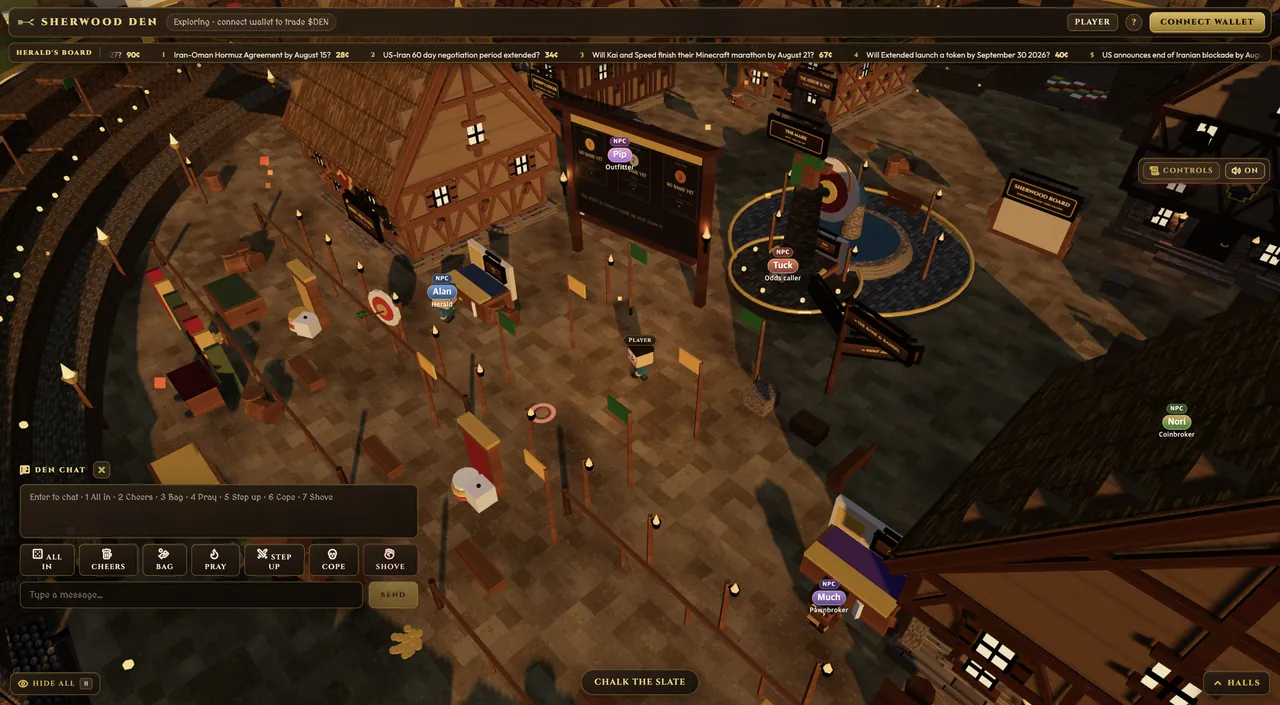
Desktop
| Action | Control |
|---|---|
| Move | WASD or arrow keys |
| Jump / run | Space / hold Shift |
| Talk and interact | E when close |
| Leave a room, arena, or hall; stand up | Esc |
| Chat | Enter |
| Music / hide the interface | M / H |
| Gestures | 1–6 |
The mouse does more than look. Dragging turns the camera and the wheel
zooms, but a left click is the game's main "use" input: click the ground to
walk there, click a door to go in, click a person to talk to them or open their
card. If you only ever press E, half the world feels unresponsive for no
reason.
A desktop build also has an on-screen Controls panel, though it is shorter than the table above and leaves out some of what is listed here. It does not open on a phone.
Mobile and touch
- Move with the left joystick and use the Run and Jump buttons.
- A Talk button appears when you are near a person you can speak to.
- Back leaves the current hall, room, or arena. For ordinary panels, use the on-screen Close or Back control.
- Tap the ground to walk there, drag to look, and pinch to zoom. Pinching is the only zoom a phone has, and the camera opens at its furthest setting, so if the world looks distant and small when you arrive, pinch in. Nothing is wrong.
⚠️ At a hall door on a phone, use the tap, not the Talk button. Standing at a doorway raises a prompt like "Tap · Enter The Arrow & Ale" and the Talk button lights up, but Talk does not handle doorways and pressing it does nothing. Tap the door itself, or the prompt. This one catches people badly, because the game looks like it has frozen when it has not.
The Controls panel is a desktop thing and does not open here. The touch interface works but has not been tested across a wide range of real devices. If buttons overlap or the keyboard covers the screen, try rotating the device, resetting browser zoom, or hiding the interface with the Hide All control.
On a weaker phone the game lowers its own resolution and paces its frames rather than stuttering, and it shows fewer floating name plates at once. That is the game protecting the frame rate, not a fault.
The halls
The Halls list sits open at the top right, under the Controls tab (on a phone it is at the bottom right, above the deck), and shows everywhere you can go. Each hall covers one subject and holds the market rooms for it. While the Controls manual is open the list steps aside; close the manual and it is back.
The first time you walk into a hall, a short card names the actual buttons in
that room (Buy, See the board, Post your own). It is remembered per
building, because learning the booths teaches you nothing about the ring. After
you dismiss it, a smaller control brings the same card back.
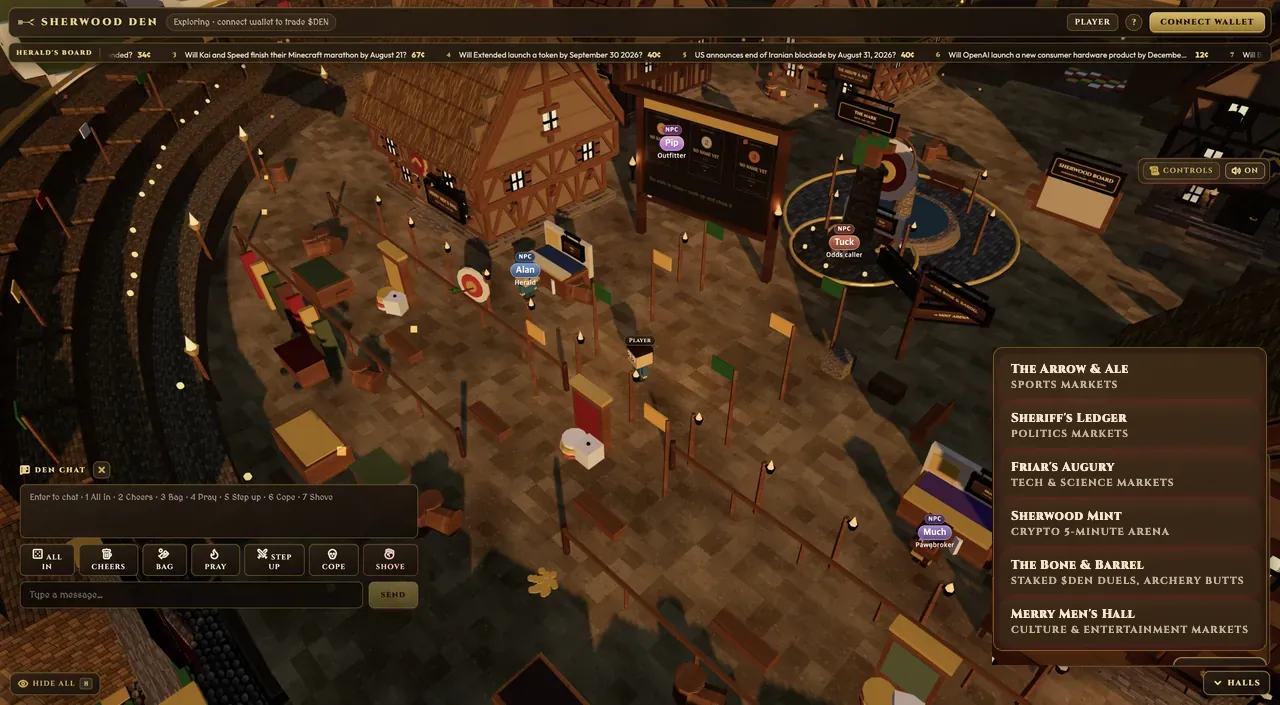
| Hall | What is inside |
|---|---|
| The Arrow & Ale | Sports markets |
| Sheriff's Ledger | Politics and elections |
| Friar's Augury | Technology and science |
| Sherwood Mint | The five-minute crypto arena. Bitcoin only for now |
| The Bone & Barrel | Staked $DEN duels, the skittles lanes through the arch on the north side, and Wynn's archery butts |
| Merry Men's Hall | Culture and entertainment |
You can also walk to a hall through the plaza instead of using the menu, watch for the interaction prompt near its door.
Five of the six halls open when you reach them. The Bone & Barrel has a
warden on the door, and his is a real lock: the day pass costs 2,000 $GOLD,
good until midnight UTC, and he turns away anyone who has not paid it. That
hall is the only one that charges for anything (see
duels).